

Your Mazda is more than just a car; it's a product of thoughtful design and exhilarating engineering, crafted to bring joy to every drive. In an era of smart technology, your connection to your vehicle should be just as intuitive and rewarding. You deserve to manage its care, understand its features, and enjoy its capabilities with effortless ease. That's where the myMazda app comes in. It's your comprehensive digital companion, designed to deepen the bond between you and your Mazda. From essential remote commands and real-time vehicle health updates to seamless service scheduling and personalized owner information, the myMazda app puts the power of a connected driving experience right in the palm of your hand, ensuring you're always in tune with your vehicle.
Why You'll Love Staying Connected with myMazda
We built the myMazda app to enhance every aspect of ownership, transforming your smartphone into a command center for control, convenience, and peace of mind. It's engineered to be proactive, informative, and deeply integrated with your Mazda's technology. Here's what makes it an essential tool for every Mazda driver:
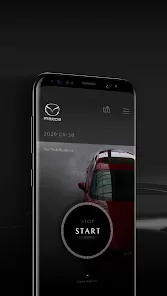
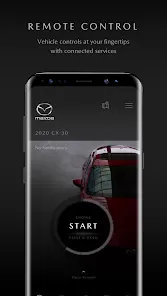
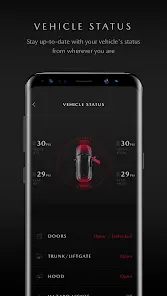
- Remote Commands & Vehicle Status: Start your engine, lock/unlock doors, and activate the climate control from anywhere using your phone. Check real-time status on fuel level, odometer, tire pressure, and vehicle health alerts before you even step outside.
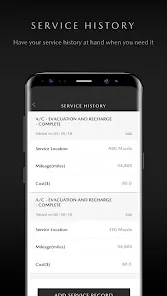
- Proactive Maintenance & Service Management: Stay ahead of your vehicle's needs. The app monitors service intervals, sends maintenance reminders, and allows you to schedule service appointments at your preferred Mazda dealer directly from your phone.
- Integrated Navigation & Destination Send: Plan your route on your phone and send the destination directly to your Mazda's infotainment system. When you get in, the navigation is already set and ready to guide you.
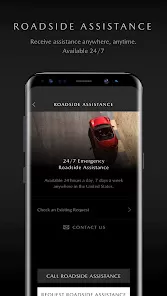
- Safety & Security Services: Access connected safety features like Automatic Collision Notification*, Emergency Call, and Stolen Vehicle Locator* for added security and assistance when you need it most (subscription may be required).
Key Features for Enhanced Control & Insight
Beyond remote access, the myMazda app is packed with features that leverage your vehicle's connectivity:
- Driving Data & History: Review your driving history, including trips taken, distance driven, and fuel efficiency. This can help you understand your driving habits and potentially improve efficiency.
- Digital Owner's Manual & How-To Guides: Access a digital, searchable version of your Owner's Manual specific to your VIN. Find quick videos and guides to help you understand and use your Mazda's features with confidence.
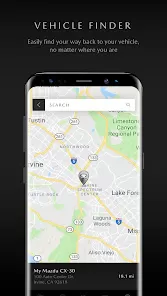
- Vehicle Location & Alert Settings: Find your parked car on a map in an unfamiliar lot. Set up custom alerts for vehicle movement or if it leaves a predefined area (geofencing).
- Mazda Connected Services Management: Easily manage your subscription to Mazda Connected Services, update your account information, and access support directly through the app.
How to Get Started with myMazda
Activating and using the app is a straightforward process. Here's how to connect your Mazda:
- Click the button “Check All Versions” below to download and install the myMazda app from your device's app store.
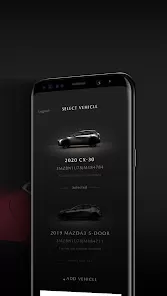
- Create your Mazda Owner account or log in with existing credentials. You will need your Vehicle Identification Number (VIN) to register your specific Mazda.
- Activate Mazda Connected Services. This is typically done through your vehicle's infotainment system or at the dealership to enable all remote and connected features.
- Log into the app with your account. Your vehicle should appear on the dashboard. Allow necessary permissions for location services to enable features like remote start and vehicle finder.
- Explore the app's dashboard. Try a remote command, check your vehicle's health status, and familiarize yourself with the service scheduling and navigation tools.
Your Mazda, Amplified
The myMazda app transforms your relationship with your vehicle from passive ownership to an active, connected partnership. It delivers practical benefits that save time, enhance security, provide valuable insights, and simplify maintenance—all through a single, intuitive interface. Whether you're pre-conditioning your cabin for comfort, checking tire pressure before a journey, or ensuring your vehicle is secure, myMazda puts that control in the palm of your hand. We invite you to experience the confidence and convenience that comes with a truly connected Mazda. Discover how your vehicle can be an even more integrated part of your life.



 0
0